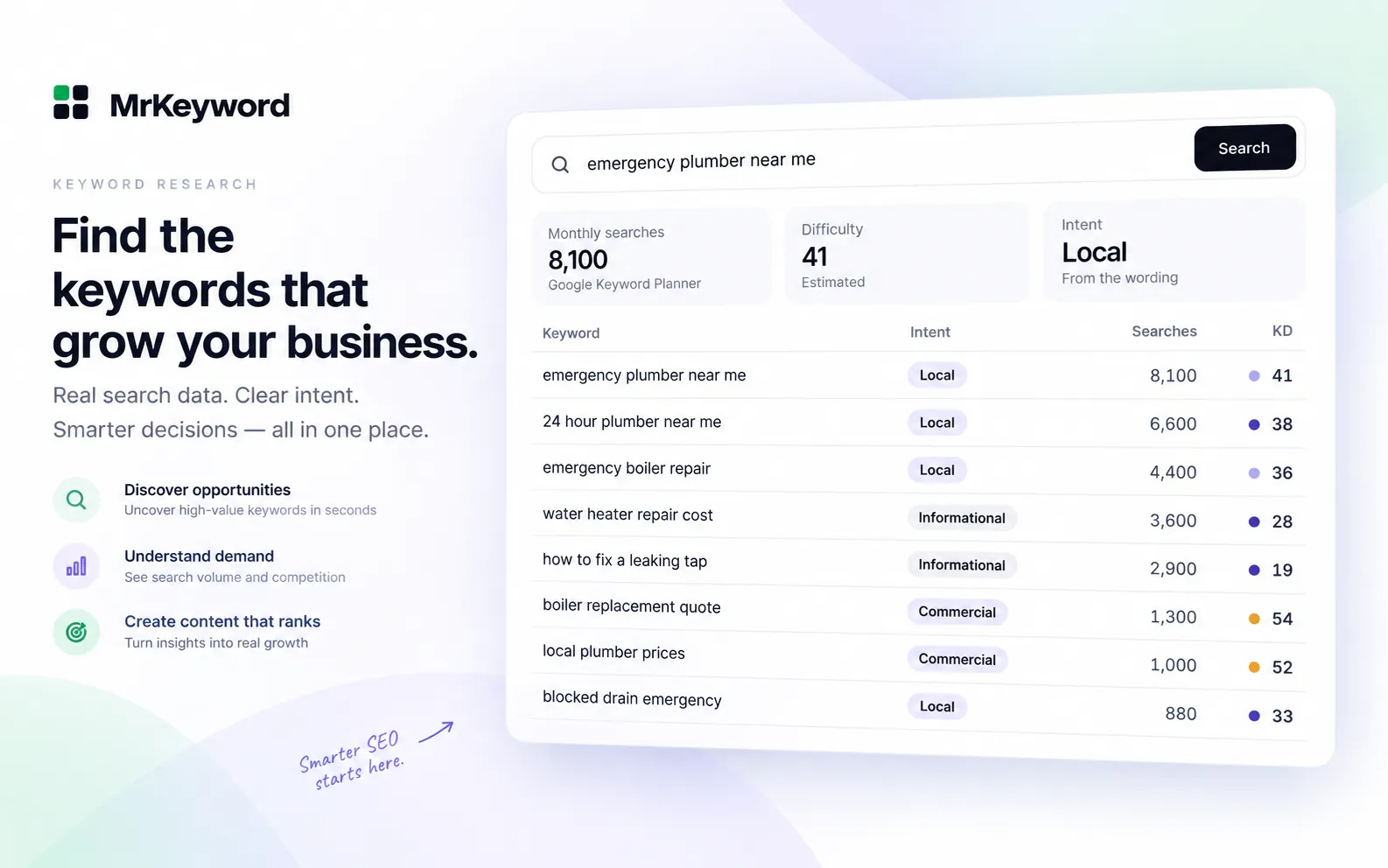
- Keyword research discovers what searchers type, how many search it, how hard it is to rank, and which page should answer it.
- Start from customer language and real inquiries rather than guessing keywords or chasing high-volume vanity phrases.
- Always match search intent before writing: an informational query needs a guide, while a transactional query needs a product or pricing page.
- Use keyword clustering to group similar terms so each group gets exactly one URL, preventing keyword cannibalization and doorway pages.
- Maintain a master keyword list and track primary keywords against target URLs using first-party Search Console data.
How do you do keyword research?
Keyword research is the process of finding the search queries your audience uses, checking their monthly search volume and ranking difficulty, and assigning each query to a specific page on your website. To do it effectively, start with customer language, expand with keyword ideas, verify volume, assess competition, classify intent, check competitor gaps, cluster terms into pages, and track rankings over time.
Beginners often start by entering a broad word into a tool, picking whatever has the highest search volume, and writing isolated articles. That approach produces unfocused traffic, internal competition, and pages nobody reads. A systematic keyword research process links customer problems directly to your website architecture so that every page has a clear job.
Here is the 8-step framework, pairing free manual methods with the corresponding features inside MrKeyword.
Step 1: How do you find seed topics from customers' words?
Seed keywords are the initial 5 to 10 core terms that describe your business, taken directly from the words real customers use. Rather than guessing industry buzzwords, gather how people naturally describe their problems.
- Support tickets and emails: Review the questions prospects ask before buying. Pay attention to the exact phrases and pain points they describe.
- Sales conversations: Note recurring objections, feature requests, and competitor names mentioned by potential customers.
- Customer reviews: Read reviews of your product and competitors to spot common expressions like “easy setup” or “budget alternative”.
- Search Console queries: The Performance report in Search Console lists queries Google already connects with your site. Filter by the last 90 days to identify early demand.
Collect 10 to 20 raw phrases in a document. These form your foundation for Step 2.
Free method vs in MrKeyword: Step 1 (Finding seed topics)
| Task | Free method | In MrKeyword |
|---|---|---|
| Gather customer seeds | Extract phrasing from customer support, sales call notes, and reviews | Enter raw customer phrases into Keyword Research search |
| Inspect existing queries | Export up to 1,000 rows from Search Console Performance tab | Open On your site tab to view your connected Search Console queries from the last 90 days |
Step 2: How do you expand seed keywords into broader lists?
Take each seed keyword and expand it into related search phrases, specific questions, and modifier terms. One seed term easily branches into dozens of targeted variations.
To uncover variations using free tools and resources:
- Google Autosuggest and related searches: Enter your seed into Google to see autocomplete suggestions, and check the related searches at the bottom of the page.
- Keyword generator tools: A free keyword generator takes one seed phrase and retrieves hundreds of related ideas from Keyword Planner data.
- Long-tail keywords: Specific queries with modest search volume are long-tail keywords. These terms generally carry clearer intent and lower competition.
- Google Keyword Planner: Set up a free Google Ads account to access Keyword Planner. Our guide on using Google Keyword Planner for free explains how to access it without running active ads.
In MrKeyword, searching a seed term opens dedicated views. Matching isolates ideas containing your exact words, Questions extracts question phrases, and Modifiers finds intent qualifiers. The Means like… filter applies semantic word and character matching over the loaded rows without spending lookups.
Free method vs in MrKeyword: Step 2 (Expanding seeds)
| Task | Free method | In MrKeyword |
|---|---|---|
| Generate related ideas | Google autocomplete, “People also ask”, and Keyword Planner suggestions | Matching, Questions, and Modifiers tabs organize ideas into clean subsets |
| Semantic phrase filtering | Manual scanning in a spreadsheet | “Means like…” semantic filter matches related concepts without extra lookups |
Step 3: How do you check keyword search volume?
Keyword search volume is an estimate of how many times people enter a query in a month, for a selected country and language. Checking volume helps you prioritize topics with proven demand over obscure phrases.
Understanding volume requires knowing its honest limits. As covered in our guide on how to find keyword search volume, Keyword Planner numbers are rounded 12-month averages, and accounts without ad spend often see wide ranges like 1K–10K. You can check individual keywords on our free keyword research tool to see live Google Keyword Planner data.
- Zero-volume searches can still convert: Keyword Planner rounds aggressively and hides sensitive or very low-volume queries. A specific search that addresses a high-value purchase is worth writing even if estimates show zero.
- Impressions provide a real floor: If you already rank on page one or two, Search Console impressions give a measured lower bound on actual search demand.
- Watch for seasonality: A steady annual average can conceal severe seasonal fluctuations throughout the year.
Free method vs in MrKeyword: Step 3 (Checking volume)
| Task | Free method | In MrKeyword |
|---|---|---|
| Read monthly search volume | Google Keyword Planner interface (often wide 1K–10K ranges) | Live Google Keyword Planner figures with monthly trend sparklines and exact averages |
| Filter by volume thresholds | Sort and filter columns in Google Sheets or Excel | Volume range filter with presets (0–100, 100–1K, 1K–10K, 100K+) or custom values |
Step 4: How do you judge keyword difficulty?
Keyword difficulty scores how hard it will be to rank on page one of Google based on the strength of competing pages. Targeting hyper-competitive keywords on a new website leads to months without traffic.
Google publishes no difficulty score, so every tool provides an estimate. Our keyword difficulty checker estimates difficulty from 0 to 100 using volume, advertiser bids, competition, and word count. Where MrKeyword's index has sufficient coverage, it computes a measured difficulty (marked with an M mark) from the top competing domains.
To evaluate difficulty manually using free methods:
- Review the top 10 results: Search the keyword in a private window. Are the top spots held by major brands, government portals, or smaller niche blogs?
- Inspect content quality: Do ranking pages answer the query thoroughly, or do they mention it briefly as part of an unrelated article?
- Evaluate link strength: While Google does not use third-party metrics, backlinks reflect competitive strength. Our article on what is domain authority clarifies how Moz DA and Ahrefs DR operate and what link metrics indicate.
Free method vs in MrKeyword: Step 4 (Judging difficulty)
| Task | Free method | In MrKeyword |
|---|---|---|
| Score ranking difficulty | Manual SERP review: assess brand authority and content depth | SEO Difficulty score (0–100) with meter and Easy, Medium, Hard, Very hard labels |
| Find low-competition terms | Search long-tail queries manually to find weak results pages | Easy wins tab filters ideas with volume up to 200 and difficulty under 30 in one click |
Step 5: How do you match search intent to your keywords?
Search intent is the primary goal a user wants to achieve when typing a query into Google. If your content mismatches search intent, it will not reach page one. Google rewards pages that satisfy the searcher's objective directly.
Queries fall into four intent categories, classified by clear wording patterns:
- Informational intent: The searcher wants to learn or solve an issue. Common trigger words include how, what, why, when, where, who, which, guide, tutorial, learn, examples, tips, meaning, definition, explain, difference, benefits, can i, should i, does, or a question mark. Example: “how to do keyword research”.
- Navigational intent: The searcher wants a specific company, site, or login portal. Queries feature brand names or terms like login, log in, sign in, account, dashboard, app, official, homepage, contact, support. Example: “mrkeyword login”.
- Commercial intent: The user is evaluating solutions or comparing products before buying. Words include best, top, review, reviews, compare, comparison, vs, versus, alternative, alternatives, rating, affordable, recommended, pros and cons, worth it, tool, software, service. Example: “best keyword research tools”.
- Transactional intent: The user wants to purchase, download, or subscribe. Words include buy, purchase, order, price, pricing, cost, cheap, discount, coupon, deal, sale, subscribe, download, book, quote, near me. Example: “buy standing desk”.
MrKeyword evaluates navigational terms first, followed by transactional and commercial signals. Question words default to informational. Words without commercial modifiers also default to informational, matching how Google treats general head terms.
Free method vs in MrKeyword: Step 5 (Matching search intent)
| Task | Free method | In MrKeyword |
|---|---|---|
| Classify user intent | Examine Google results to see whether guides, comparisons, or stores rank | Rule-based intent tag (Informational, Navigational, Commercial, Transactional) on each row |
| Filter keywords by intent | Manually categorize rows in a spreadsheet using modifier keywords | Intent dropdown filter isolates informational, commercial, or transactional terms instantly |
Step 6: How do you study competitors for keyword gaps?
Competitor keyword analysis finds searches your competitors target that your website currently misses. Identifying these gaps gives you a practical list of topics that already work in your space.
As explained in our guide to competitor keyword research, no tool has access to a competitor's private Search Console. All third-party competitor ranking data represents models or predictions. You can uncover competitor targets for free using public data:
- XML sitemaps: Check
competitor.com/sitemap.xmlto review their complete list of URLs. URL slugs usually name the primary keyword target. - Header and navigation menus: Inspect top-level menus to see which commercial categories competitors emphasize.
- Keyword Planner URL search: In Keyword Planner, choose “Start with a website” and enter a competitor URL to see related keywords Google extracts from their content.
Pick topics where you can write a more accurate, clearer, or more useful guide. Do not replicate low-quality pages just because a competitor published them.
Free method vs in MrKeyword: Step 6 (Studying competitors)
| Task | Free method | In MrKeyword |
|---|---|---|
| Uncover competitor topics | Inspect competitor sitemaps, navigation links, and Keyword Planner URL inputs | Search competitor seeds and review predicted domain keyword rankings |
| Find keyword gaps | Manually cross-reference competitor URLs against your Search Console export | Your site filter isolates queries where your site is Not ranking yet |
Step 7: How do you group keywords into pages?
Keyword clustering groups searches that share the same intent so each group is assigned to exactly one page. Creating a separate article for each minor keyword variation results in keyword cannibalization, where your own pages compete against each other.
Google's spam policies warn against doorway pages created for slightly different search queries. Applying keyword clustering protects your website:
- Select a primary keyword: Choose the query with the highest relevant volume and clearest intent to anchor your page title, H1, and URL.
- Cover secondary variants in sections: Address related questions and long-tail variants as subheadings (H2 or H3) within that single article.
- Verify SERP overlap: Search two related phrases in Google. If several of the same URLs rank on page one for both, Google considers them one topic that belongs on one page.
In MrKeyword, the Groups tab automatically organizes ideas by shared modifier words, letting you view collective search volume before writing.
Free method vs in MrKeyword: Step 7 (Grouping keywords)
| Task | Free method | In MrKeyword |
|---|---|---|
| Group ideas by cluster | Sort keywords in a spreadsheet by shared words and manual tags | The Groups tab clusters ideas into clean topic groups automatically |
| Decide page boundaries | Compare search results in Google to check whether identical URLs rank | Topic group views display total volume and keyword counts per cluster |
Step 8: How do you build a master keyword list and track rankings?
A master keyword list is a central record of every keyword your site targets, its search intent, search volume, target URL, and current ranking. It turns ad-hoc research into a coherent content roadmap.
Use our guide on building a master keyword list to structure your workflow. To keep your research actionable:
- Assign one target URL: Every target keyword should map to exactly one page on your domain.
- Check current positions: Use our keyword rank checker to check rankings based on your own Search Console data.
- Track rank changes: Our tutorial on how to track keyword rankings shows how to measure rank trends over time.
- Optimize striking-distance queries: Review queries ranking in positions 11 to 20 monthly, and strengthen those pages with internal links and clearer answers.
In MrKeyword, click Save to list to save any idea to Keyword Lists, or click Track to add it to Rank Tracking. The Free plan includes 10 monthly research lookups and tracks 25 keywords; Starter includes 200 lookups and tracks 500 keywords.
Free method vs in MrKeyword: Step 8 (Master list and tracking)
| Task | Free method | In MrKeyword |
|---|---|---|
| Maintain central list | Manage a Google Sheet with keywords, intent, target URLs, and status | Save to list button stores keywords in structured lists with CSV export |
| Track keyword positions | Check Search Console Performance queries table manually each week | Rank Tracking monitors daily positions and alerts you to Wrong page rankings |
Start keyword research on your own dataConnect Search Console to MrKeyword to find seeds, check volume, and spot easy wins.
Start freeWhat can't MrKeyword tell you about keyword research?
Every metric in MrKeyword identifies its source. Search volumes are fetched live from Google Keyword Planner; rankings, impressions, and clicks are measured from your connected Search Console; difficulty and intent classifications are derived by MrKeyword's transparent rules.
- Rare keywords show no volume: Google Keyword Planner omits data for very low-volume queries. MrKeyword shows a dash rather than an invented estimate.
- Search Console anonymized queries cannot appear: Google hides queries made by very few people over several months to protect privacy.
- Competitor positions are predictions: Competitor data reflects indexed public pages and MrKeyword's internal model, not a live scrape of Google or private Search Console access.
- Difficulty is an estimate: No tool knows Google's internal scoring. Treat difficulty scores as relative guidance, not a guarantee.
- Headings are not search volume: The Questions tab shows questions websites answer in headings within MrKeyword's index, not monthly search counts.
Questions and answers
How to do keyword research questions
What is keyword research in SEO?
Keyword research is the process of discovering the actual queries people type into search engines, analyzing their search volume and difficulty, and mapping them to relevant pages on your website to earn organic traffic.
How long does keyword research take for a new website?
For a new website, initial keyword research for 20 to 30 core pages takes roughly 4 to 8 hours. Ongoing research to expand topics or review quarterly performance typically takes 1 to 2 hours per month.
Can beginners do keyword research without paid tools?
Yes. You can discover seeds from customer conversations, expand them with Google Keyword Planner and free tools, check difficulty by inspecting the top search results, and manage your plan in a spreadsheet.
How many keywords should a beginner target on one page?
One page should target one primary keyword cluster. That cluster includes a primary keyword plus several closely related synonyms and long-tail variants that share the exact same search intent.
How often should you do keyword research?
Review your keyword research every month by checking Search Console for new queries, and do a deeper quarterly review to find competitor gaps, update your master keyword list, and identify new topic clusters.
Sources
- Use Keyword Planner — Google Ads Help, on discovering new keywords and search volume estimates
- Performance report (Search results) — Search Console Help, on queries, impressions, clicks and average position
- A deep dive into Search Console performance data filtering and limits — Google Search Central blog, on anonymized queries and export row limits
- Spam policies for Google web search — Google Search Central, on doorway abuse and automated scraping
- Creating helpful, reliable, people-first content — Google Search Central, on search intent and user-first content