Skip to content
MrKeyword
AI SEO

The AI SEO platform your assistant can actually use.

Connect MrKeyword to Claude, Cursor or any MCP client and ask about your site in plain English. The answers come from your own Google Search Console data and MrKeyword's own crawler — the AI reads your numbers, it does not make them up.

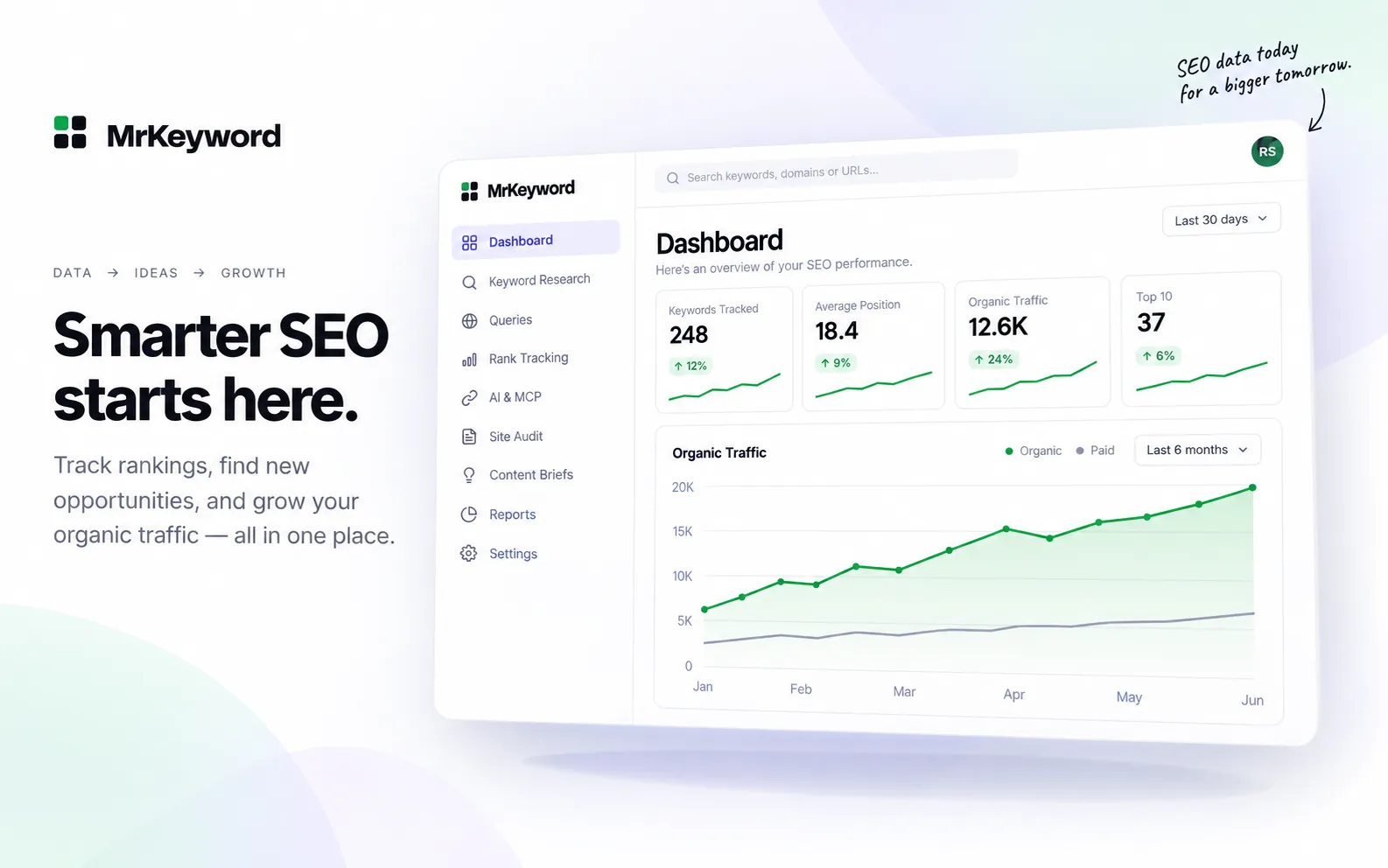
MrKeyword workspace visual with an organic traffic chart, metrics and a calm AI-ready dashboard
Illustrative product visual
What we mean by it

“AI SEO” is two different things here.

The phrase gets used for everything and means nothing. In MrKeyword it means exactly two things, and both of them work on data somebody measured.

Your assistant, working inside your workspace

MrKeyword runs an MCP server. Create a token, paste one line into Claude Code, the Claude desktop app or Cursor, and your assistant can read your workspace: how the site is performing, what is broken today, which page is ranking for which query, and the brief already written for a page.

It is a read by default: the token you create can answer questions and nothing else. If you want it to be able to track a keyword or start a crawl, you have to create a token that says so — and even then it cannot touch your site or your Google account.

Every tool, and how to connect

AI inside the product, explaining the work

MrKeyword's crawler and its rule engine find the problems with plain code — no model involved, the same answer every time. The AI comes in afterwards, to say why an issue matters on this page, to draft the title, meta description and structured data that would fix it, and to write a prompt you can hand to a developer's coding assistant.

Rules find it. AI explains it and drafts the fix. You approve it.

How the site audit works
Straight answer

Is this an “SEO agent”? Yes, with an asterisk.

The phrase SEO agent is being used for two very different things, and the difference matters before you connect anything to your site. One is an assistant that can look at your real data and help you decide what to do. The other is an autonomous system that goes off and changes your website. MrKeyword is firmly the first.

Here is what the AI SEO agent version of this actually is: your assistant — Claude, Cursor, or any MCP client — plus MrKeyword's 24 tools. Ask it a question and it queries your workspace: your Search Console performance, your tracked positions, the queries you appear for, what the last crawl found. It answers with real rows, each carrying a source and an as-of date. That is an agent in the useful sense: something that can take a goal, choose which data to look at, and come back with an argued answer.

What it is not: there is no MrKeyword process that edits your pages, publishes content, changes your Google or Bing accounts, or acts while you are asleep. 19 of the 24 tools are reads. The other 5 change something inside MrKeyword only — tracking a keyword, setting a target page, adding an annotation, starting a crawl, running a saved report — and only for a token created with “Allow this token to make changes” ticked, with every call written to the workspace audit log.

We are spelling this out because “AI SEO agent” is currently being sold as autonomy, and autonomy pointed at a production website is a bigger promise than most tools can keep. The judgement and the publishing stay with you. What changes is that the judgement now happens with your actual numbers in front of it instead of a guess.
Ask your AI · Example

Things you can actually ask it.

With a token connected, these are questions your assistant can answer out of your own workspace today — each one is a real tool call, not a demo.

  • What is hurting this site today, and what should I do first?

    Tools usedget_daily_issues
  • Which of my pages is Google actually ranking for “emergency plumber near me”?

    Tools usedget_page_keywords
  • How has search performance moved since last month?

    Tools usedget_site_summarylist_sites
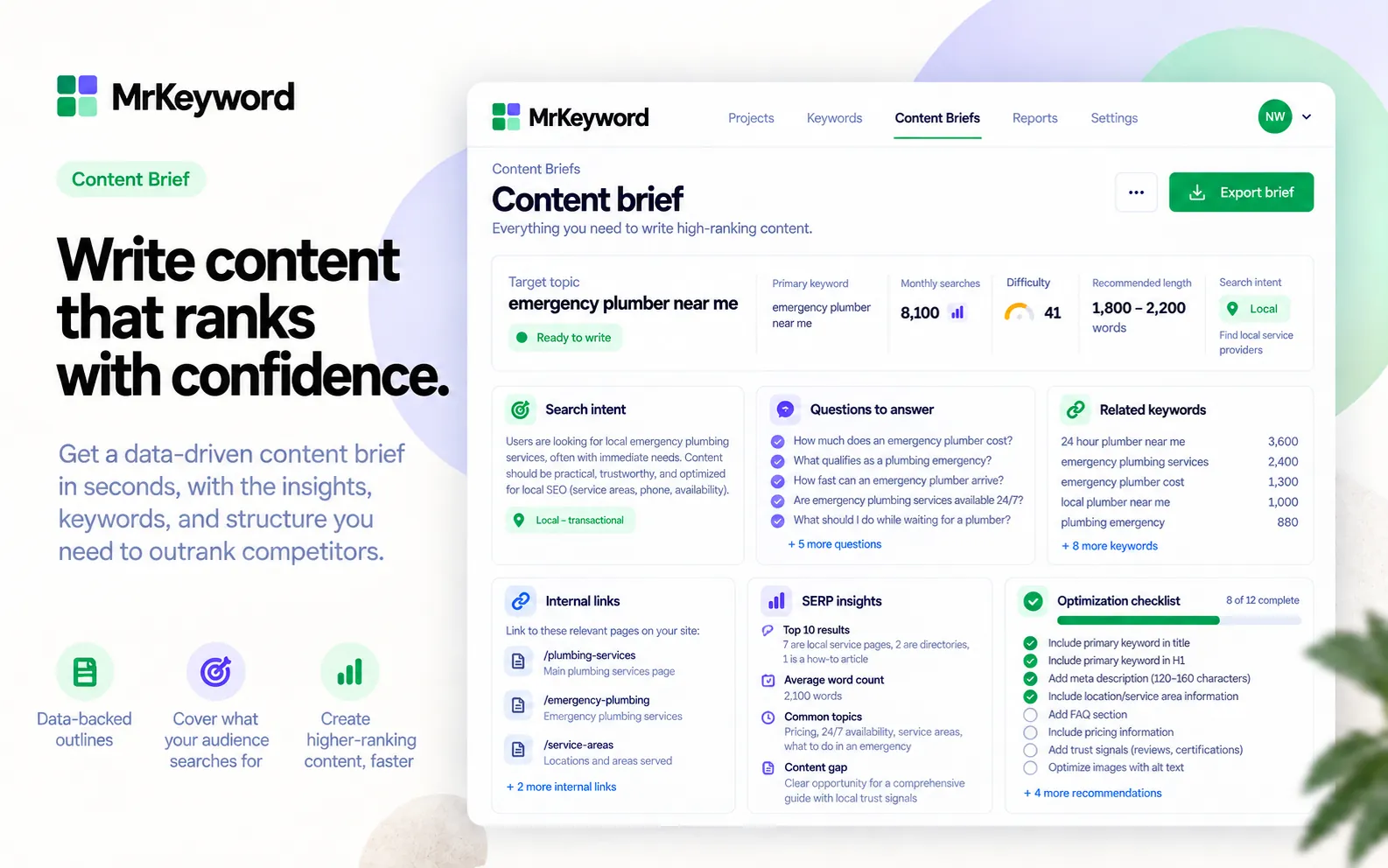
  • Give me a brief for the page I am about to rewrite.

    Tools usedget_page_briefget_latest_page_audit
  • What is on my SEO to-do list, and which item is worth the most?

    Tools usedget_work_itemsget_daily_issues

Example questions. Each is answered by the tools named under it, all of which the MrKeyword MCP server answers today — see the full reference. Your client's own tools/list is always the authoritative list for your workspace.

Three pillars

Where AI actually earns its place.

Keyword research, rank tracking and the technical audit each have a job the AI is genuinely better at — and a job it is deliberately kept out of.

AI keyword research

Real demand, turned into something to write.

Search demand is fetched live from the official Google Keyword Planner API every time you search — never from a model, and never from an old stored copy. A bulk check takes up to 500 keywords at once, at one lookup per 25 keywords. The AI's job starts after that: turning the demand, your own queries and your page's audit into a content brief with an outline, the questions to answer and the keywords to cover — each one tagged with the evidence it came from.

  • Up to 500 keywords in one bulk check
  • Search volume fetched live from Google Keyword Planner
  • AI briefs cite the evidence behind every suggestion
  • The AI never produces a search volume
With your AI assistant · Example

Give me a brief for the page I am about to rewrite.

Tools usedget_page_briefget_latest_page_audit
AI content brief with keyword demand, search intent, questions, related keywords and an optimization checklist
Illustrative product visual
AI rank tracking

Ask what moved, instead of reading a table.

Positions are the average positions Google and Bing report for your verified property — measured, not modelled, and no AI is involved in producing them. What AI changes is how you interrogate them: ask your assistant which page is ranking for a query and it will tell you, which is how the wrong page gets caught. Inside the app, a keyword with a target page set raises a Wrong page warning the moment Google starts ranking a different URL, and an opt-in weekly digest emails the workspace owners every Monday with the week's gains and drops.

  • A “Wrong page” badge and filter when the target and the ranking URL disagree
  • An opt-in weekly email digest, Mondays, for the completed week
  • A ready-made weekly_seo_review prompt for the same job, in your assistant
  • A keyword only counts as moved if it had impressions in both weeks
  • No model predicts, adjusts or forecasts a position
With your AI assistant · Example

Which of my pages is Google actually ranking for “emergency plumber near me”?

Tools usedget_page_keywords
Rank movers visual with highlighted upward and downward keyword changes
Illustrative product visual
AI site audit

60 checks find it. The AI writes the fix.

The crawler runs 60 technical checks and the rule engine scores the page — deterministic code, no model, the same answer every run. Then the AI reads that report plus the page's own Search Console figures and returns the part a rule cannot write: why this matters on this page, ranked actions with an effort tag, three title and meta options, and complete JSON-LD drafts. Every draft is handed back through MrKeyword's own validator before you see it, and any internal link the model suggests that is not a real URL on your site is dropped. Programmatic pages get their own report: URLs folded into templates with each one's thin and near-duplicate share.

  • Ranked fixes, each tied to the check that found it
  • Title, meta and JSON-LD drafts, re-validated by the rule engine
  • A copy-ready prompt to hand your developer's coding assistant
  • Suggested links that do not exist on your site are discarded
With your AI assistant · Example

What did the last audit of this page find, and what do I fix first?

Tools usedget_latest_page_auditget_daily_issues
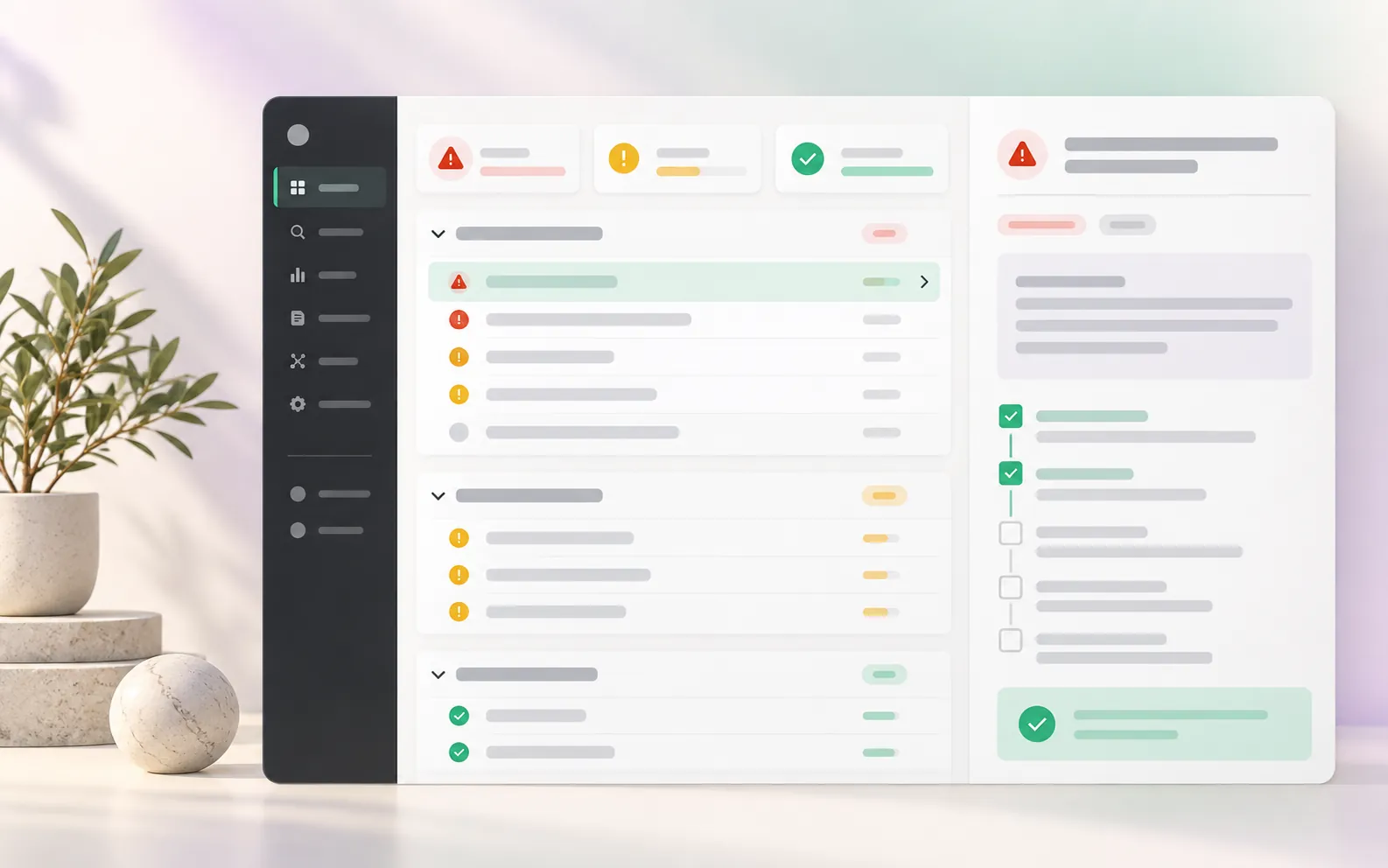
Technical SEO issue triage visual with severity markers and a selected fix checklist
Illustrative product visual
AI reports

Let the assistant do the writing up.

MrKeyword builds the report. Your assistant turns it into something a client can read — and because it is reading the same stored rows the app reads, the write-up and the dashboard cannot disagree.

The numbers are ours

A report is a rendering of the daily Search Console rows already stored for the site. Nothing is recalculated for the document, and every figure carries the period, the comparison and the date the data runs through.

The narrative is your assistant's

Ask it for the month in plain language and it reads the site summary and today's issues, then writes the paragraph. You keep the draft, edit it, and send it.

Scheduling stays in the product

Saved reports run weekly or monthly at 06:00 UTC to up to 25 recipients, That part is ordinary software, and it should be.

How reports work
Connect

Two minutes, three steps.

You need an account with an active plan or a running trial. Nothing is installed.

  1. Create a token

    In MrKeyword, open Settings → Connections and find API & MCP Tokens. Give the token a label and press Create. The token starts mk_ and is shown once — MrKeyword only ever stores its hash — alongside the exact endpoint URL for your account.

  2. Point your assistant at it

    For Claude Code, one command does it. The developer reference has the equivalent for the Claude desktop app, Cursor and plain HTTP.

    claude mcp add --transport http mrkeyword \
      https://app.mrkeyword.io/mcp \
      --header "Authorization: Bearer mk_your_token"
  3. Ask it something

    Try “what is hurting my site today?”. Your client will list the tools it can see — that list is always the authority — and, if it shows MCP prompts, the four ready-made ones for a weekly review, a fix list, keyword opportunities and a client report.

A token reads one workspace and nothing else. Revoke it from the same screen at any time, and it stops working immediately — as it does automatically if the person who created it leaves the workspace.

How the numbers are made

AI never invents a number.

This is the whole design. Anything countable is measured by something other than a model, and the model is only allowed to explain and draft. Here is how that is actually enforced.

Figures come from search engines, not models

Clicks, impressions, CTR and position are read from your own Google Search Console and Bing Webmaster Tools properties. Search demand is fetched live from the official Google Keyword Planner API. No model produces, rounds or adjusts any of them.

The checks are plain code

All 60 crawler checks and the single-page rule engine are deterministic: no network call to a model, and the same page gives the same answer every time. The AI reads that finished report — it does not decide what is wrong.

Drafts are validated before you see them

Suggested structured data is put back through MrKeyword's own JSON-LD validator, and a suggested internal link that is not a real URL on your site is discarded rather than shown. A reply that did not finish cleanly is thrown away and retried.

Every metric still carries its source

The honesty labels do not switch off because an assistant asked the question. Measured, Derived, Estimated or Not available, a confidence level and an as-of date travel with the figure, into the MCP response as much as onto the screen.

Crawled pages are data, never instructions

Page content sent to the model for an audit is wrapped as evidence with the angle brackets escaped and an explicit rule that evidence is never an instruction — so text on a page you crawled cannot give the model orders.

“Not available” survives contact with AI

A keyword with no verified demand signal, a day with no impressions, a URL Google has no field data for: all of them stay unanswered. An assistant asking nicely does not conjure a number that nobody measured.

Scope

What this does not do

AI is the loudest place in this industry to overclaim, so here is the list of things MrKeyword will not tell you it does.

  • AI does not predict rankings. There is no forecast, no “projected position”, and no model output presented as a future result.
  • AI does not generate search volumes or positions. Those come from Google, Bing or our crawler, with the source printed next to them.
  • Nothing here is guaranteed. A fix the AI drafts is a recommendation grounded in a check that failed. What a search engine does next is not ours to promise.
  • There is no AI competitor or backlink analysis. Those stay switched off until there is measured data behind them rather than a model's guess.
  • Your assistant cannot act unless you let it. A token is read-only unless “Allow this token to make changes” was ticked when you made it, and the five tools that scope unlocks are listed, name by name, on the developer reference.
  • You do not choose the model. The AI provider is configured by the people who run MrKeyword, not per workspace — so we will not advertise bring-your-own-key either.

Questions about AI, MCP and your data

Which AI assistants can I connect?

Any client that speaks the Model Context Protocol over HTTP. MrKeyword is tested with Claude Code and the Claude desktop app, and the same URL and bearer token work from Cursor or from plain curl. The developer reference has the exact snippet for each.

Do I need to write any code?

No. You create a token in Settings → Connections, paste one line into your assistant, and ask it questions in English. The server also ships four ready-made prompts — weekly_seo_review, fix_my_top_issues, find_keyword_opportunities, client_report — so a client that lists them gives you the common jobs as commands. The developer reference is there for people who want to call the endpoint directly.

Can my assistant change anything in my workspace or on my site?

Only if you deliberately give it a token that can. A token is read-only unless “Allow this token to make changes” was ticked when you created it, and an existing token cannot gain that later. With the scope, five things become possible — tracking keywords, setting a keyword's target page, adding a dated annotation, starting a crawl and running a saved report — and every one is written to the workspace audit log under the person whose token it is. A viewer cannot create a token that acts at all. Nothing in either scope can edit your website, your billing, or your Google and Bing accounts.

What data does MrKeyword send to an AI provider?

Only for the features that need a model: the AI page audit and AI content briefs. Those send the page's own content and structure, the rule-based audit MrKeyword already computed for it, and that page's Search Console clicks, impressions and queries. Page content is sent wrapped as evidence with an explicit instruction that it is data and never an instruction, so a crawled page cannot give the model orders. Rank tracking, keyword research, the crawl itself and everything the MCP server answers involve no AI provider at all.

Is my data used to train models?

MrKeyword does not train any model on your data. For the AI page audit and AI briefs, the content described above is sent to the AI provider the operator has configured, and what that provider does with it is governed by that provider's own terms — so if this matters to you, ask us which provider is configured and we will tell you. Our privacy notice covers these providers under the service providers needed to run MrKeyword, and we are not going to make a training promise on a third party's behalf that we cannot enforce.

Does the AI decide my rankings or predict them?

No, and it is worth being blunt about it. Positions in MrKeyword are the average positions Google and Bing report for your own property. No model produces, adjusts or forecasts a position, and MrKeyword does not offer a ranking prediction.

Where do the numbers the AI quotes come from?

The same place as every number in the product: your connected Search Console and Bing properties, live Google Keyword Planner search volume, and MrKeyword's own crawler and its 60 checks. The model reads those figures; it never produces one. A metric that cannot name its source is rejected before it reaches a screen.

What happens if the AI is wrong?

You can check it, which is the point of the design. Every recommendation is tied to the rule check and the stored row it came from, suggested structured data is re-validated by MrKeyword's own rule engine before you see it, and any internal link the model suggests that is not a real URL on your site is dropped rather than shown to you.

Does AI cost extra?

No. AI page audits and AI content briefs have a monthly allowance on every plan, including the free one, and the pricing page lists them. An audit that fails does not count against your allowance. Connecting your own assistant over MCP has no separate charge.

Read next

Related reading.

SEO with Claude

Setup, the four prompts, and ten questions worth asking once it is connected.

Read more

Generative engine optimization

Getting used by AI answers — what is known, and what nobody can measure.

Read more

MCP reference

All 24 tools, the scopes, the rate limit and a snippet per client.

Read more

Pricing

AI audits and briefs on Pro AI, or a $5 credit pack on any plan.

Read more

Point your assistant at your own data.

Create a token, paste one line, and ask it anything. Free to start, no credit card.

Get started free No credit card required.