- Google Keyword Planner is free. Google calls it a free resource. It sits inside Google Ads, so you need a Google Ads account, and Google's help says basic features need your billing information entered.
- You do not have to run ads. Google's sign-up help offers an option to create the account without a campaign, and a paused campaign shows no ads and builds up no further charges.
- Expect ranges. Google has said advertisers with lower spend may see a limited data view, such as 1K–10K, instead of a single monthly figure. It has never published the threshold.
- It is an ads tool. Its figures are rounded 12-month averages with close variants merged, and its Competition column measures advertisers, not how hard a keyword is to rank for organically.
- Free alternatives fill different gaps: Google Trends for seasonality, Search Console for real demand on your own site, Bing for a second source, and MrKeyword's free keyword research tool for Keyword Planner figures without a Google Ads account.
Disclosure: MrKeyword publishes this guide, and its free keyword research tool is one of the alternatives listed. Every Google fact links to a page Google publishes, except the 2016 limited-data-view notice, which is quoted from Search Engine Roundtable's report of it. Every other tool's free allowance links to its official page, all read on 31 October 2026. Google changes the Google Ads interface often, so menu names may differ slightly in your account.
Is Google Keyword Planner free?
Yes. Google Keyword Planner costs nothing to use: Google's own Keyword Planner page calls it a free resource for building keyword lists. There is no subscription and no per-search fee. What you pay for in Google Ads is advertising that actually runs, and nothing in Keyword Planner makes an ad run.
The condition is the account. Keyword Planner is a tool inside Google Ads, not a standalone website, so you need three things before it opens:
- A Google account, the same one you use for Gmail or Search Console works.
- A Google Ads account. Google's product page says no separate sign-up is needed for Keyword Planner itself once you have one.
- Billing details. The Use Keyword Planner help page says you must complete account setup by entering your billing information to use basic features such as keyword ideas. Google bills advertising that runs; Keyword Planner itself has no fee.
Google's own pages do not quite agree on the campaign. The product page says you need to complete setup and create a campaign. The Google Ads Help page on creating an account says you have the option to create an account without a campaign, and that you can skip the recommendations to create one. In practice that means two routes, both covered step by step below: skip the campaign at sign-up, or create one and pause it before it serves.
So the honest answer to “is Google Keyword Planner free?” is: free to use, but not free of friction. You hand Google a payment method, and in return you get keyword ideas and volumes from the source almost every other keyword tool starts from.
Why does Keyword Planner show ranges instead of exact numbers?
Keyword Planner shows ranges such as 1K–10K when Google gives an account what it calls a “limited data view”, which it said in 2016 applies to advertisers with lower monthly spend. If your account runs no ads, expect to see ranges in the Avg. monthly searches column rather than a single figure.
The rule was announced in August 2016. In a notice on its AdWords Help forum, reported by Search Engine Roundtable, Google wrote that advertisers with lower monthly spend may see values such as 0, 1–100, 100–1K, 1K–10K, 10K–100K, 100K–1M and 1M+. Google has never published the spend level that unlocks single figures, and its current Help Center pages do not describe the rule at all. Treat anything you read about a specific dollar threshold as an anecdote, not a policy.
A range is still useful. It tells you whether a keyword is searched hundreds, thousands or tens of thousands of times a month, and that order of magnitude is often the decision you need to make. It is less useful when two candidate keywords both land in 1K–10K, because one could be searched ten times as often as the other.
Even the single figures are not exact. Google's help on Keyword Planner metrics says search volume statistics are rounded, averaged over 12 months by default, and include close variants of the keyword. A number such as 880 is Google's rounded estimate, not a count. Our guide on how to find keyword search volume for free covers ways to narrow a range: the monthly trend, Google Trends ratios and your own Search Console impressions.
How do you access Keyword Planner without running ads?
Create a Google Ads account in Expert Mode, choose the option to create it without a campaign, enter your billing details, then open Tools → Planning → Keyword Planner. If the setup pushes you into creating a campaign anyway, pause it before it starts serving. These are the steps as Google's pages described them on 31 October 2026.
-
Sign in to Google Ads
Go to ads.google.com and sign in with your Google account. New accounts are guided towards a first campaign straight away; you do not have to follow that path.
-
Switch to Expert Mode
Google's Keyword Planner page says that if your account is using Smart Mode, you need to switch to Expert Mode to reach Keyword Planner.
-
Create the account without a campaign
Google's sign-up help offers the option to create an account without a campaign in its first step, Add business information, in the part where you link accounts, before you reach billing. Look for it there and choose it. You keep the account; nothing is set to advertise.
-
Enter billing details carefully
Pick your billing country, time zone and account type, then add a payment method. Google warns that reports, statistics and billing all follow the time zone you choose, so pick the one you work in.
-
Open Keyword Planner
Click the Tools icon, choose Planning, then Keyword Planner. You land on two options: Discover new keywords and Get search volume and forecasts.
-
If a campaign was created, pause it
Google's help on pausing a campaign says pausing stops your ads from showing and prevents further charges. Check the Campaigns page shows it as paused before you move on.
One thing to know before you start: an account with no ad spend is exactly the kind Google said may get the limited data view. Running a small campaign may change what you see, but Google does not say how much spend is enough, so do not start paying for ads only to unlock volumes. If ranges are not precise enough, a tool that reads Keyword Planner through the official Google Ads API is the cheaper route; there is more on that below.
How do you use Google Keyword Planner for keyword research?
Use Discover new keywords to get ideas from a seed term or a website, and Get search volume and forecasts to check a list you already have, then set the location and language before reading any number. Both are described in Google's Use Keyword Planner help.
-
Start from words or from a website
In Discover new keywords, enter a few words that describe what you sell, or a website related to your business, and select Get results. Starting from a website is a quick way to see the themes Google associates with that site's pages.
-
Or paste your own list
In Get search volume and forecasts, paste keywords or upload a CSV with one column headed “Keyword”. Each keyword can be up to 80 characters and 10 words. This mode keeps the results to exactly your terms.
-
Set location, language and dates
Volume depends on all three. A keyword's US figure and its worldwide figure can be very different, so match the market you actually serve. Widen the date range to see seasonality month by month.
-
Filter and group the ideas
Filter by keyword text, competition or impression share, and use the Refine keywords panel to group ideas by theme, brand or attribute and drop the groups that do not fit.
-
Download and decide outside the tool
Download the results and move the keepers into one sheet with the page each keyword belongs to. Our guide to building a master keyword list shows a layout that works.
Read the columns for what they are. Avg. monthly searches is the rounded 12-month average. Competition describes how many advertisers bid on the keyword compared with others, which says something about commercial value but nothing direct about organic difficulty. Top of page bid low and high are, per Google, roughly the 20th and 80th percentile of what advertisers paid over the last 30 days. Forecasts estimate ad clicks and impressions at a budget and, according to Google, refresh daily from the last 7 to 10 days of data; they are not organic traffic forecasts.
What are Google Keyword Planner's limits for SEO?
Keyword Planner was built to plan ads, so for SEO it is a demand source and little else: it does not tell you who ranks, how hard a keyword is to rank for organically, or how many searches would turn into clicks. Its known limits, almost all from Google's own documentation:
- Ranges for low-spend accounts. Covered above; Google has not published the threshold.
- Rounded averages. Volumes are rounded and averaged over 12 months by default, so a seasonal keyword can be far above or below its average in any one month.
- Close variants merged. Google combines close variants into one figure; its API guide gives “car” and “cars” as the example. You cannot size the singular and plural separately.
- Missing keywords. Google says keywords with very low search volume, or that are considered sensitive, are not discoverable or forecastable. A missing keyword is not proof that nobody searches it.
- Advertiser competition, not organic difficulty. “High” competition means many advertisers bid on the keyword. It says nothing about how strong the pages already ranking organically are.
- No results-page view. Keyword Planner does not show which pages rank for a keyword, so you still need to search it yourself and look at what Google rewards.
- Monthly freshness. Google updates search volume monthly based on the previous month's data, so a topic that took off last week will not show it yet.
- A payment method on file. For some people, and for many teams, handing over billing details just to research keywords is the real barrier.
None of this makes Keyword Planner a poor source. It is the closest thing to Google's own demand data that anyone outside Google can get, which is why so many tools are built on it. It simply answers one question, how often is this searched, and leaves the SEO questions to you. Google's SEO Starter Guide is a useful reminder of the other half: think about the words a reader might search for, write naturally, and do not worry about matching every variation, because Google can relate a page to many queries it does not repeat word for word.
Keyword Planner volumes without a Google Ads accountMrKeyword's free keyword research tool asks the official Google Ads Keyword Planner API for every search and shows the figure with its source and the time it was fetched.
Check a keyword freeWhat are the best free alternatives to Google Keyword Planner?
The best free alternatives depend on the gap you need filled: Google Trends for seasonality, Search Console for real demand on your own site, Bing's tools for a second source, and a tool built on the Keyword Planner API when you want Google's figures without a Google Ads account. The table lists what each one offered free on its official page on 31 October 2026.
Free keyword research options compared, 31 October 2026
| Tool | Where its data comes from | Search counts | Account needed | Free allowance |
|---|---|---|---|---|
| Google Keyword Planner | Google Ads | Yes rounded; ranges for low-spend accounts | Google Ads, billing details entered | Free |
| Google Trends | A sample of Google searches | No relative 0–100 interest only | None | Free |
| Google Search Console | Your site's measured Google impressions | Impressions for your own site only | Google account, verified site | Free |
| Bing Webmaster Tools, Keyword Research | Bing searches | Yes Bing volumes | Bing Webmaster Tools | Free |
| Microsoft Advertising Keyword Planner | Microsoft's search network | Yes Microsoft network volumes | Microsoft Advertising | Free with the account |
| Semrush Free | Semrush's own database | Yes estimates | Semrush, no card | 10 reports a day across its tools |
| Ahrefs Keyword Generator | Ahrefs' own database | Estimates shown on the page | Not stated on the page | Limits not stated on the page |
| MrKeyword free keyword research tool | Google Ads Keyword Planner API, asked per search | Yes Google's figure, or its range | Free MrKeyword account, no card | 10 lookups a month |
Google Trends
Google Trends never gives a search count. Its FAQ explains that each data point is divided by total searches for that place and time, then scaled from 0 to 100, and that the data comes from a sample of Google searches. That makes it the best free tool for seasonality and for comparing two wordings side by side, and a poor one for sizing a single keyword.
Google Search Console
Search Console is, in Google's words, a free service. Its Performance report shows every query your site appeared for, with impressions, clicks and average position. For a query where you already rank near the top, impressions are measured demand rather than an estimate, which makes it the best check on any tool's volume. It cannot size a topic you have never published on. Our guides to Search Console average position and a keyword audit show how to work through the export.
Bing Webmaster Tools and Microsoft Advertising
Microsoft offers two free options. Bing Webmaster Tools includes a Keyword Research tool that suggests related keywords with Bing search volumes, inside the same free account you would use to monitor your site on Bing. The Microsoft Advertising Keyword Planner is, Microsoft says, free once you have a Microsoft Advertising account, and shows search volume on the Microsoft network. Both describe Bing's audience, not Google's, so use them to compare keywords with each other rather than as Google figures.
Semrush and Ahrefs free tools
Semrush's pricing page lists a Free plan with no credit card and 10 reports a day across its tools, which covers a handful of keyword checks. Ahrefs has a free Keyword Generator page; it did not state its free limits when we checked, so we do not quote any. Both estimate volume from their own data and models, so their volumes will not match Keyword Planner's, and that is normal: compare keywords inside one tool rather than numbers across tools.
How does MrKeyword's free keyword research tool use Keyword Planner data?
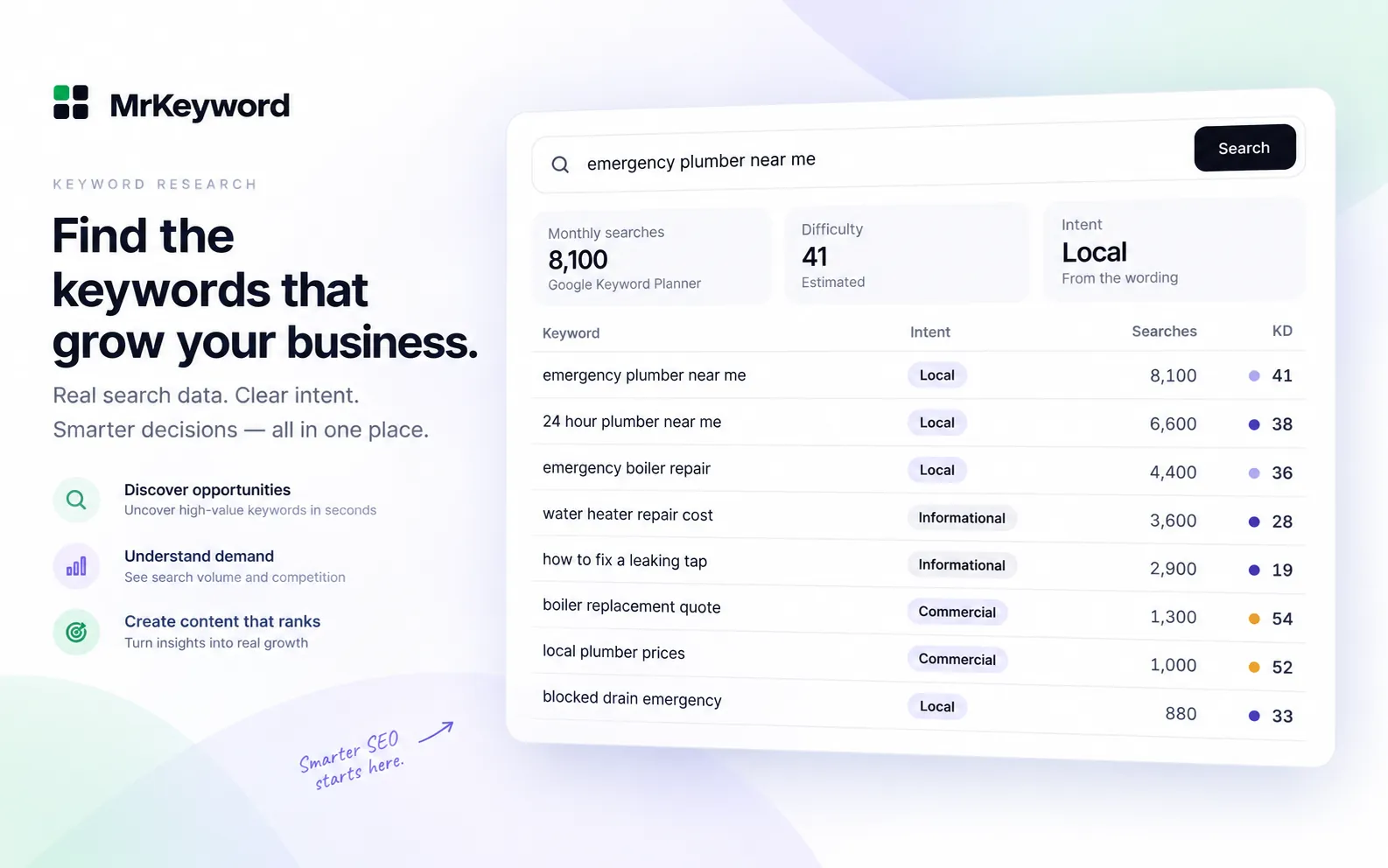
MrKeyword's free keyword research tool sends each search to the official Google Ads Keyword Planner API and shows Google's monthly figure, labelled with its source and the time it was fetched, so you get Keyword Planner data without opening a Google Ads account. Signing up is free, no card is asked for, and the Free plan does not expire.
- What one search returns. Monthly search volume, a monthly trend chart, MrKeyword's difficulty score and the intent behind the keyword, followed by matching terms, related ideas, questions and modifiers.
- Ranges stay ranges. Where Google only gives a range, you see the range, labelled as an estimate. We do not invent a midpoint to make the number look precise.
- Labels on every figure. Volume, difficulty and intent each carry a label (Measured, Derived, Estimated or Not available) with a confidence level and a one-line reason.
- Markets. The United States, the United Kingdom, Canada, Australia, India or worldwide.
- Lookups. One lookup is one search for one keyword in one market. The Free plan includes 10 a month and a failed search is refunded. A bulk check takes up to 500 keywords and uses one lookup per 25. Starter includes 200 lookups a month for $10, and Growth 600 for $19; see pricing.
- Your own demand beside it. Connect Search Console and the app lists every query your site already appears for, with impressions and position, then lets you track the ones that matter in the free rank tracker.
The full tool is described on the keyword research feature page. If you would rather ask an AI assistant to do the research, the MrKeyword MCP server exposes the same lookups to Claude and other MCP clients; our guide to keyword research with Claude walks through it. Developers who need volumes inside their own product can use the MrKeyword Data API, which has a free developer tier and paid plans from $29 a month.
Should you use Keyword Planner or a free alternative?
Use Keyword Planner itself if you run or plan Google Ads, and combine a free alternative with Search Console if you only do SEO and do not want to hand over billing details. A simple way to choose:
- You advertise on Google. Keyword Planner is the right tool. Your spend may already unlock single figures, and its forecasts and bid ranges are built for exactly your job.
- You do SEO for your own site. Start with Search Console, which shows real demand for searches you already appear in. Add a volume source for topics you have not covered yet, and Google Trends for timing.
- You see only ranges and need to choose between keywords. Check both in a tool that reads Keyword Planner through the API, look at the monthly trend, and compare them in Google Trends.
- You cannot add a payment method. Google Trends, Search Console, Bing Webmaster Tools and MrKeyword's free tool all work without one.
Whichever source you use, keep one source per project and compare keywords within it. Relative size between two keywords holds up across tools far better than any absolute number. Once you pick targets, track the rankings from Search Console so you can see whether the research paid off.
What MrKeyword does not do
MrKeyword's keyword research is not a replacement for Google Ads planning, and it cannot make Google's figures more exact than Google publishes them.
- It is not a Google product and is not affiliated with Google. It reads Keyword Planner data through Google's official Ads API.
- It does not give exact search counts. Keyword Planner figures are rounded estimates or ranges, and that is what you see.
- It does not offer Keyword Planner's ad forecasts, budgets or bid planning, and it does not create or manage ads.
- Its difficulty score is MrKeyword's own, not a figure from Google.
- It does not scrape Google's search results.
- The Free plan includes 10 lookups a month; heavier research needs a paid plan.
Questions and answers
Google Keyword Planner free questions
Is Google Keyword Planner free?
Yes. Google describes Keyword Planner as a free resource inside Google Ads. You need a Google Ads account with billing details entered, but using Keyword Planner itself costs nothing, and you do not have to run ads.
Can I use Keyword Planner without running ads?
Yes. Google's sign-up help says you can create a Google Ads account without a campaign. If setup creates one anyway, pause it: Google says pausing stops your ads from showing and prevents further charges. Accounts without ad spend may see search volume as ranges.
Why does Keyword Planner show 1K–10K instead of a number?
In 2016 Google said advertisers with lower monthly spend may see a limited data view, with values such as 1–100, 100–1K and 1K–10K. Google has not published the spend that unlocks single figures. Tools that read the Keyword Planner API, Google Trends and your Search Console impressions can help narrow a range.
Do I need a credit card for Google Keyword Planner?
You need a payment method on file. Google's Keyword Planner help says you must complete account setup by entering billing information to use basic features. Keyword Planner itself has no fee; Google bills advertising that runs.
What is the best free alternative to Google Keyword Planner?
It depends on the job. Google Search Console shows real demand for searches your site already appears for, Google Trends shows seasonality, Bing Webmaster Tools gives Bing volumes, and MrKeyword's free keyword research tool shows Keyword Planner figures without a Google Ads account, with 10 lookups a month on the Free plan.
Is Keyword Planner accurate for SEO?
It is the closest public source to Google's own demand data, but its figures are rounded 12-month averages with close variants merged, and its Competition column measures advertisers, not organic difficulty. Use it to compare keywords, and check the winners against your Search Console impressions.
Sources
- Keyword Planner — Google Ads, on Keyword Planner being free, account setup, Expert Mode and where to find it; checked 31 October 2026
- Use Keyword Planner — Google Ads Help, on billing information, the two ways in, keyword length, filters and keywords that are not discoverable
- About Keyword Planner forecasts — Google Ads Help, on average monthly searches, close variants, rounding and bid ranges
- Create a Google Ads account: How to sign up — Google Ads Help, on creating an account without a campaign and choosing a time zone
- Enable, pause, or remove a campaign — Google Ads Help, on pausing a campaign to stop ads and further charges
- Generate historical metrics — Google Ads API, on close variants, monthly volumes and monthly updates
- Google Keyword Planner throttled for low spenders — Search Engine Roundtable, 15 August 2016, quoting Google's notice on the limited data view
- SEO Starter Guide — Google Search Central, on anticipating search terms and writing naturally
- FAQ about Google Trends data — Google Trends Help, on sampling and 0 to 100 scaling
- About Search Console — Search Console Help: a free service offered by Google
- Keyword Research — Bing Webmaster Tools Help
- Microsoft Advertising Keyword Planner — Microsoft Advertising, free with an account; checked 31 October 2026
- Semrush SEO plans and pricing — Free plan allowance, checked 31 October 2026
- Ahrefs Keyword Generator — free keyword generator page, checked 31 October 2026
- MrKeyword pricing — our own plans and lookup allowances